What do Games of 2043 Look Like?

We interrupt this program (“ISMAR ’08) to bring you this breaking news from the Austin Game Developer Conference (via Gamasutra): Futurist and author Bruce Sterling delivered the Tuesday keynote speech where he was tasked to imagine the next 35 years in the game industry:

Then what do the games of 2043 look like? “I think you would call [them] ‘augmented reality’ but we don’t,” Sterling continued. “We think that reality is real — you can have a lot of fun with [an overlaid] game interface.” To Sterling, the games of the future scale from personal “body games” to global games and space games and everything in between — including “neighborhood games”.

Sterling wasn’t all flowers, he continued with a dark prophecy, which I totally agree with:

“Stagnation in the creative side of the industry will hamper their evolution.”

That’s exactly what augmented reality is missing today. The technology is reaching a good-enough stage; the buzz has been built to a more-than-reasonable level; and yet no augmented reality game has broken into the main stream: gameplay, fun, killer-app – you name it, but who’s got it?

Live from ISMAR ’08: Latest and Greatest in Augmented Reality Applications

It’s getting late in the second day of ISMAR ’08 and things are heating up…the current session is about my favorite topic: Augmented Reality applications.

Unfortunately, I missed the first talk (had a brilliant interview with Mark Bullinghurst) by Raphael Grasset about the Design of a Mixed-Reality Book: Is It Still a Real Book?

I will do my best to catch up.

Next, Tsutomu Miyashita and Peter Meier (Metaio) are on stage to present an exciting project that games alfresco covered in our Museum roundup: An Augmented Reality Museum Guide a result of a partnership between Louvre-DNP Museum lab and Metaio.

Miyashita introduces the project and describes the two main principles of this application are Works appreciation and guidance.

Peter describes the technology requirements:

  • guide the user through the exhibition and provide added value to the exhibitions
  • integrate with an audio guide service
  • no markers or large area trackin – only optical and mobile trackers

Technology used was Metaio’s Unifeye SDK, with a special program developed for the museum guide. Additional standard tools (such as Maia) were used for the modeling. All the 3d models were loaded on the mobile device. The location recognition was performed based on the approach introduced by Reitmayr and Drummond: Robust model based outdoor augmented reality (ISMAR 2006)

600 people experienced the “work appreciation” and 300 people the guidance application.

The visitors responses ranged from “what’s going on?” to “this is amazing!”.

In web terms, the AR application created a higher level of “stickiness”. Users came back to see the art work and many took pictures of the exhibits. The computer graphics definitely captured the attention of users. It especially appealed to young visitors.

The guidance application got high marks : ” I knew where I had to go”, but on the flip side, the device was too heavy…

In conclusion, in this broad exposure of augmented reality to a wide audience, the reaction was mostly positive. it was a “good” surprise from the new experience. Because this technology is so new to visitors, there is a need to keep making it more and more intuitive.

~~~

Third and last for this session is John Quarles discussing A Mixed Reality System for Enabling Collocated After Action Review (AAMVID)

Augmented reality is a great too for Training.

Case in point: Anesthesia education – keeping the patient asleep through anesthetic substance.

How cold we use AR to help educate the students on this task?

After action review is used in the military for ages: discussing after performing a task what happened? how did I do? what can I do better?

AR can provide two functions: review a fault test + provide directed instruction repetition.

With playback controls on a magic lens, the student can review her own actions, see the expert actions in the same situation, while viewing extra information about how the machine works (e.g. flow of liquids in tubes) – which is essentially real time abstract simulation of the machine.

The result of a study with testers showed that users prefer Expert Tutorial Mode which collocates expert log with realtime interaction.

Educators, on the other hand, can Identify trends in the class and modify the course accordingly.
Using “Gaze mapping” the educator can see where many students are pointing their magic lens and unearth an issue that requires a different teaching method. In addition, educators can see statistics of student interactions.

Did students prefer the “magic lens” or a desktop?

Desktop was good for personal review (afterward) which the Magic lens was better for external review.

The conclusion is that an after action review using AR works. Plus it’s a novel assessment tool for educators.

And the punch line: John Quarles would have killed to have such an After action review to help him practice for this talk…:-)

=====================

From ISMAR ’08 Program:

Applications

  • Design of a Mixed-Reality Book: Is It Still a Real Book?
    Raphael Grasset, Andreas Duenser, Mark Billinghurst
  • An Augmented Reality Museum Guide
    Tsutomu Miyashita, Peter Georg Meier, Tomoya Tachikawa, Stephanie Orlic, Tobias Eble, Volker Scholz, Andreas Gapel, Oliver Gerl, Stanimir Arnaudov, Sebastian Lieberknecht
  • A Mixed Reality System for Enabling Collocated After Action Review
    John Quarles, Samsun Lampotang, Ira Fischler, Paul Fishwick, Benjamin Lok

Live from ISMAR ’08: The dARk side of Physical Gaming

Welcome to the late evening keynote of the second day of ISMAR ’08 in Cambridge.

The keynote speaker is Diarmid Campbell, from Sony Computer Entertainment Europe (London), and heads its research on camera gaming. And we are covering it in real time.

Diarmid comes on stage. the crowed is going crazy…

The talk: Out of the lab and into the living room

What a camera game? Simply put, you see yourself in the camera and add graphics on top.

The trouble with the brain: it fixes things you see (example of a checkerboard, a black square in the light has the same color as a white square in the dark.)

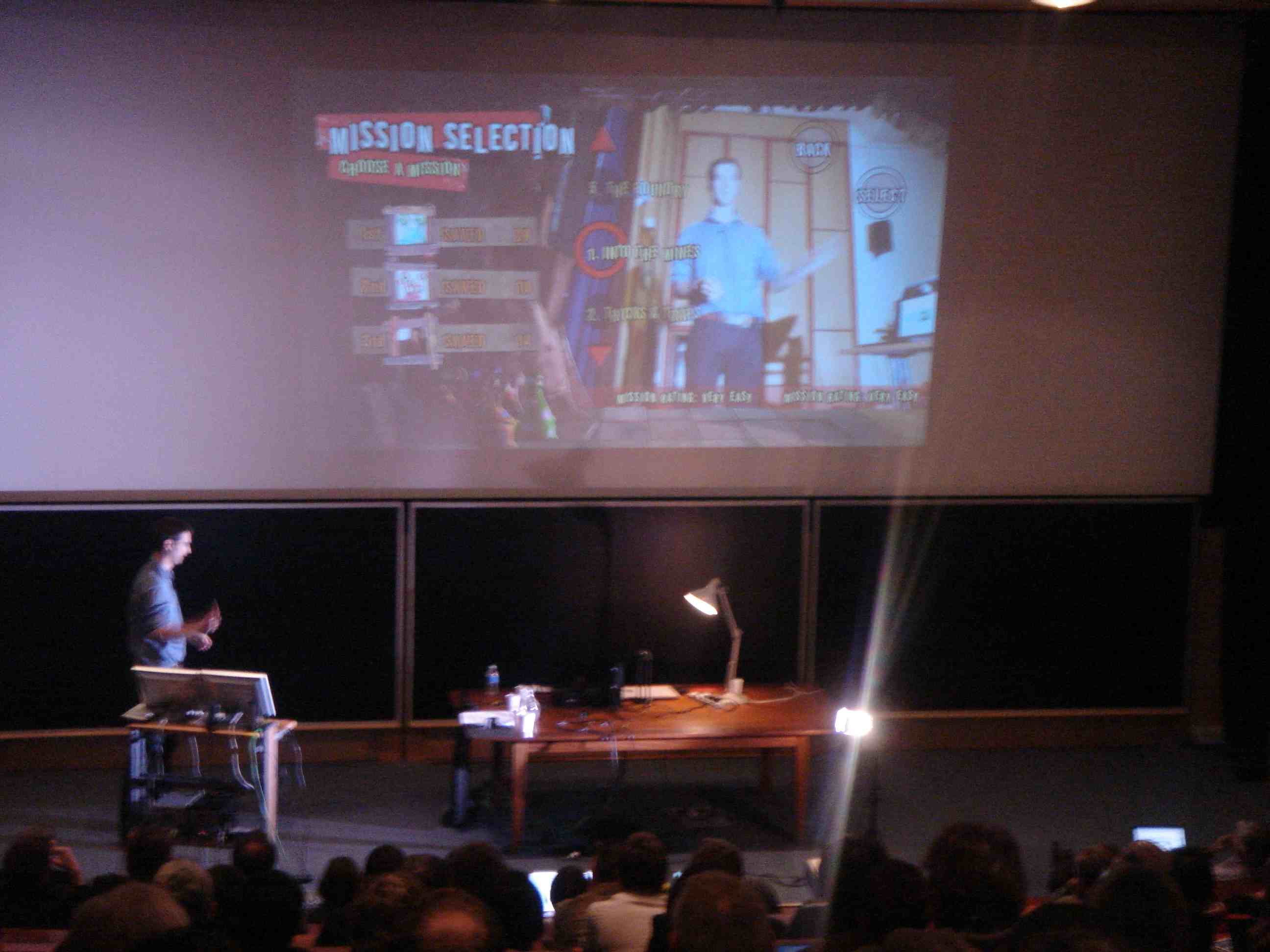
Background subtraction is the first thing you try to do. Using this technique, Diarmid superimposes him self in real time on top of…the ’70 super band ABBA…

User interface motion buttons – use virtual buttons that the user activates. The response is not as robust, but it’s more responsive.

Example of EyeToy Kinetic

Next is a demonstration of vector buttons and optical flow.

You have to keep the control on the side – otherwise the player’s body will activate it unintentionally.

It turns out Sony decided not to use this control…not just yet.

A similar control was actually published in Creature Adventures available online. Diarmid struggles with it. The crowed goes wild. Diarmid: “You get the idea…”

Good input device characteristics: Many degrees of freedom, non-abstract (player action=game action), robust and responsive.

Camera games have been accused in the past for not having depth (too repetitive). There are 2 game mechanics: skill based (shoot the bad guy) and puzzle based. This could become shallow – unless you deliver on the responsiveness and robustness.

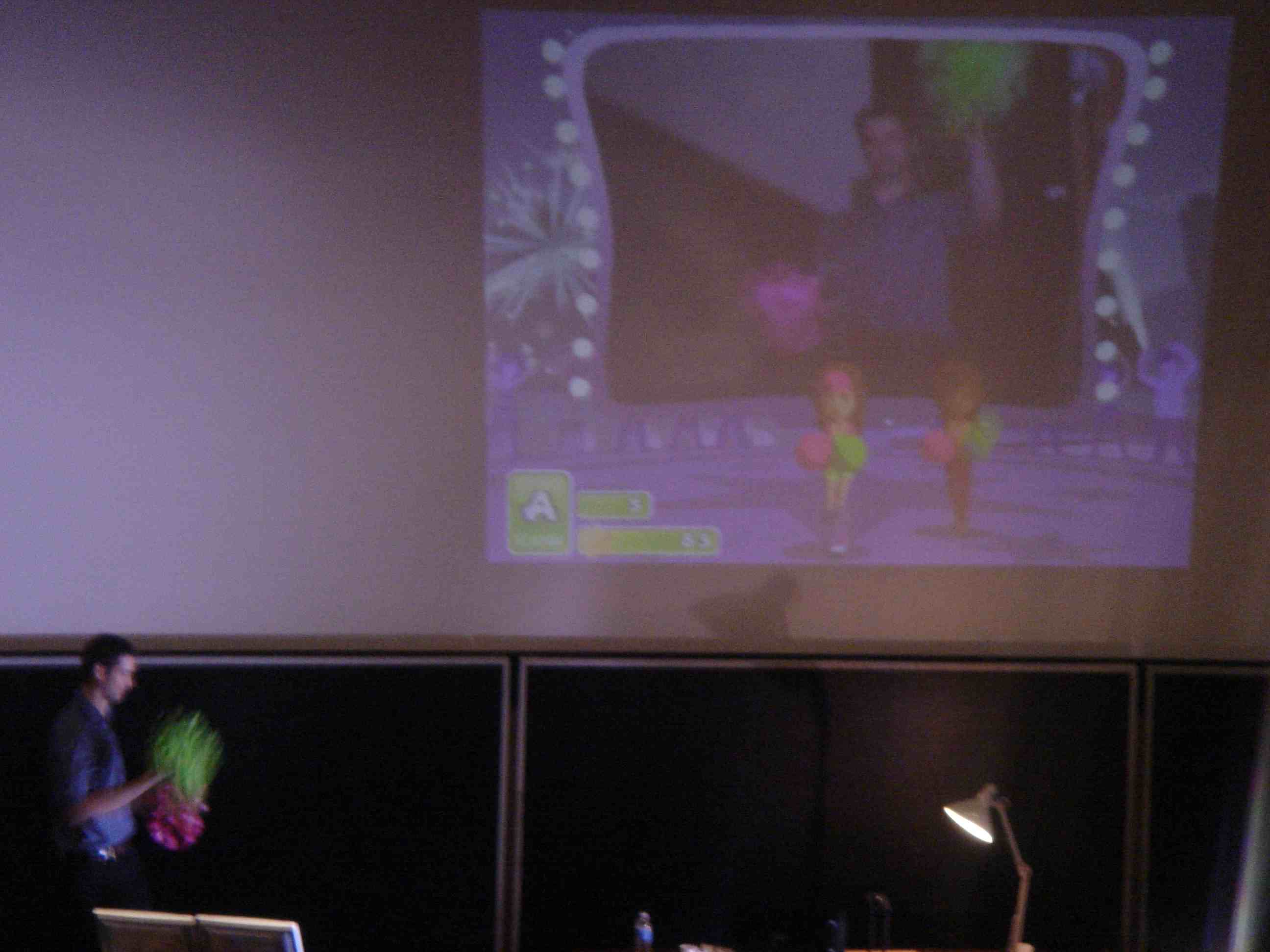
To demonstrate color tracking, Diarmid dives into the next demo (to the pleasure of the audience…). For this demo he holds 2 cheerleader pompoms…

“It’s like a dance dance revolution game, so I also have to sing and occasionally shout out party…”

The crowd is on the floor.

See for yourself –

We are on to drawing games, Sketch Tech. He draws a cow that is supposed to land on a banana shaped moon. He succeeds!

Using a face detector from Japan, here is a Head Tracking game: a green ball hangs from his mouth (a pendulum) and with circular moves of his head he rotates it, while trying to balance it…

Eye of judgment, a game that came out last year (bought out by Sony) relied on a marker based augmented reality technology. It is similar to a memory game, with a camera and a computer, and cards.

We are starting to wrap up and Diarmid summarizes, credits Pierre for setting up all the hardware, and opens the floor for questions.

Question: How do you make the game interesting when you’re doing similar gestures over and over again…

Diarmid: When the game is robust and responsive – you’ll be surprised how long you can play the game and try to be better.

Blair MacIntyre (from the audience): Robust and learn-able is what makes the game fun over time.

Question: Is there anything more you can tell us about the depth camera? Will it be available soon to consumers?

Diarmid: No.

The crowed bursts into loughs.

Blair (jumps in from the audience) There is a company called 3dv in Israel which offers such a camera. It’s not cheap or as good as discussed before, but you can get it.

Q: What’s special about camera games beyond novelty?

Diarmid: The 2 novel aspects of camera games are that it allows you to see yourself, and you can avoid the controller. Camera games are also great for multi-players.

Q: Is there a dream game you’d like to see?

Diarmid: Wow, that’s hard…I worked on a game before Sony called The Thing based on Carpenter’s movie. It was all about trust. The camera suddenly opens up the ability to play with that. When people see each other, the person to person interaction is very interesting and hasn’t been explored in games.

Q: will we see camera games on PSP?

Diarmid: there is a game in development, and I don’t know if I can talk about it…

Q: when I look in the mirror I am not so comfortable with what I see…how do you handle that?

Diarmid:  We flip the image. It’s hard to handle a ball, when just looking at the mirror.

And that’s a wrap! Standing ovation.

~~~

After party shots…


Exclusive! HitLab NZ Releases an Augmented Reality Authoring Tool for Non Programmers

I am excited. I have in my hands a flier I just received from Mark Billinghurst (one of the AR gods at ISMAR ’08)

This flier includes the URL for a totally new augmented reality authoring tool developed by HITLab New Zealand. What’s really new about this too is that it targets non programmers (as in you and me).

BuildAR is a software application that enables you to create simple augmented reality scenes on your desktop.

BuildAR provides a graphical user interface that simplifies the process of authoring AR scenes, allowing you to experience augmented reality first hand on your desktop computer. All you need is a computer, a webcam and some printed patterns.

Mark says I am the first one to receive the flier – hence the exclusive news.

Without further ado (I haven’t even tried it myself yet…), here is the URL: http://www.hitlabnz.org/wiki/BuildAR

I promised Mark that by tonight (as clocked in Honolulu) the entire world will have tried it.

Don’t let me be wrong…

Tell us, does it work? do you like it? want more of these?

Live from ISMAR ’08: Augmented Reality Layouts

Caffeine levels are set after the well deserved coffee break, and we are back to discuss AR layouts.

Onstage Steven Feiner introducing the speakers of this session.

First presenter is Nate Hagbi which is touching on an unusual topic that often  is seen as a given: In-Place Augmented Reality: A new way for storing and distributing augmented reality content.

In the past AR was used mostly by “AR Experts”. The main limiation for spearing it was mostly hardware related. We have come a long way since and AR can be done nowadays on a cell phone.

Existing encoding methods such as Artag, Artoolkit, Studierstube, MXRtoolkit as not human readable and require to store additional information in a back-end database.

Take the example of AR advertising for the Willington Zoo tried by Satchi and Satchi (2007).

This is a pretty complex approach which requires publishing printed material, creating a database for the additional AR info and querying database before presenting

In place Augmented reality is a vision based method for extracting content all encapsulated in the image itself.

The process includes: Using our visual language to encode the content in the image. The visualization is done as in a normal AR application.

The secret sauce of this method is the visual language used to encoding the AR information.

There are multiple benefits to this approach: the content is human readable and it avoids the need for an AR database, and for any user maintenance of the system. This approach also works with no network communication.

A disadvantage is that there is a limit of the amount of info which can be encoded in an image. Nate describes this as a trade off.

I am also asking myself, as a distributor of AR applications, what if I  want to change AR data on the fly? Nate suggests that in such a case a hybrid approach could be used: some of the info is extracted from the encoded image. Additional image coding could point to dynamic material from the network (e.g. updated weather or episodic content).

~~~

Second presenter is Kohei Tanaka which will unveils An Information Layout Method for an Optical See-through Head Mounted Display Focusing on the Viewability

The idea in short is to place virtual information on the AR screen in a way that always maintains a viewable contrast.

The amusing example demonstrates a case where this approach ca help dramatically: you are having tea with a friend, wearing your favorite see-through AR HMD. An alert generated the AR system tries to warn me about a train I need to catch, but due to the bright alert on top of a bright background – I miss the alert, and as a consequence miss the train…

Kohei’s approach, makes sure that the alert is displayed in a part of the image where the contrast is good enough to make me aware of the alert. Next time, I will not miss the train…

Question: Is in it annoying for users that the images on screen constantly change position…?

Kohei responds that it requires further research…

~~~

Last in this session is Stephen Peterson from Linkoping University with a talk about Label Segregation by Remapping Stereoscopic Depth in Far-Field Augmented Reality.

The domain: Air Traffic control. A profession that requires to maintain multiple sources of information and combine them into a single context cognitively.

Can Augmented Reality help?

The main challenge is labeling: how do you avoid clutter of labels that could quickly confuse the Air traffic controller?

The conclusion: Remapping stereoscopic depth of overlapping labels in far field AR improves the performance. In other words – when you need to display numerous labels on a screen that might overlap with each other – use the depth of the view and display the labels in different 3d layers.

================

From ISMAR ’08 Program:

Layout

  • In-Place Augmented Reality
    Nate Hagbi, Oriel Bergig, Jihad El-Sana, Klara Kedem, Mark Billinghurst
  • An Information Layout Method for an Optical See-through Head Mounted Display Focusing on the Viewability
    Kohei Tanaka, Yasue Kishino, Masakazu Miyamae, Tsutomu Terada, Shojiro Nishio
  • Label Segregation by Remapping Stereoscopic Depth in Far-Field Augmented Reality
    Stephen Peterson, Magnus Axholt, Stephen Ellis

Live from ISMAR ’08: Augmented Reality – What Users Are Saying

Everyone is back from lunch and the afternoon session is on: User studies in augmented reality.

First on stage is Benjamin Avery to talk (with an animated Australian accent) about User Evaluation of See-Through Vision for Mobile Outdoor Augmented Reality. This

The study took users outdoors in various scenarios to test the performance of AR vision using see through displays. Then, they compared it with a second group that watched the video through a desktop computer

[link to paper, videos, images to come]

The result demonstrates complex trade-off between AR and desktop visualizations. AR system provided increased accuracy in locating specific points in the scene. AR visualization was quite simple, beating the desktop in tracking and in better visualization.

Stay tuned for the demo (which was hauled all the way from Australia to Cambridge)!

~~~

Next on stage is Cindy Robertson from Georgia Tech (Honorable mention in ISMAR 2007) and she discusses An Evaluation of Graphical Context in Registered AR, Non-Registered AR, and Heads-Up Displays.

How are users affected when there are many registration errors  or in other words when when tracking is not perfect? Can the user handle it better if a graphics context is provided?

They tested it with a set of tasks encompassing placing virtual Lego blocks with groups using Registered AR, Non-Registered AR, and Heads-Up Displays.

Following an exhaustive analysis of the resulted data they uncovered the following insights:

  • Head movement and memorization increased performance
  • Head movement affected perceived mental workload and frustration
  • When you have graphics obstructing your view, and switching between it and real world is frustrating
  • HUD-visible case was surprisingly faster than the other cases. But people hated it…

Final conclusion: Registered outperformed both the non-registered AR and graphics displayed on a HUD. Non-registered AR does not offer any significant improvement.

Future plans are to test home-like scenarios and impose more complex tasks.

~~~

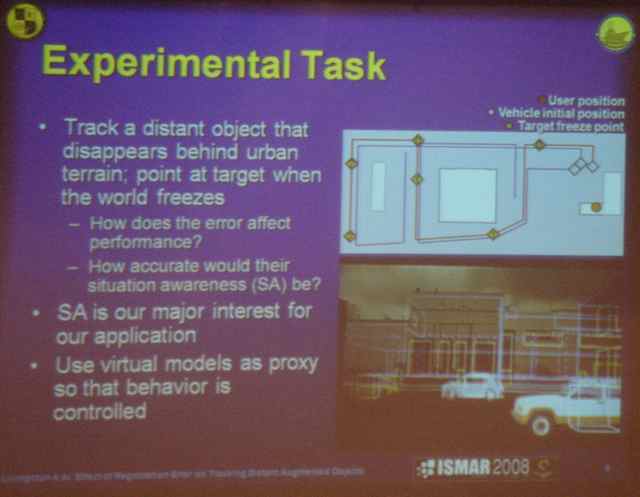
On stage Mark Livingston is getting ready to talk about The Effect of Registration Error on Tracking Distant Augmented Objects.

A basic assumption is that registration errors limits performance of users in AR. “We wanted to measure the sources (such errors are noise, latency, position and orientation error) and see the affect on the user – and then be able to write requirements for future systems.”

For this study, they used the nVisorST.

The tasks were trying to measure the users ability to understand behaviors and situational awareness in the AR application: following a target (car) when buildings stand in between.

Conclusions are straight forward though somewhat surprising:

  • Latency has significant effect on performance and response time – was the worse.
  • Noise was disliked but did not have significant impact on performance
  • Orientation error fifn’t have significant effect
  • Weather had significant impact on results: darker weather delivered improved performances. Brightness was a major distraction.

===============

From the ISMAR Program

User Studies (from ISMAR ’08 program)

  • User Evaluation of See-Through Vision for Mobile Outdoor Augmented Reality
    Benjamin Avery, Bruce H. Thomas, Wayne Piekarski
  • An Evaluation of Graphical Context in Registered AR, Non-Registered AR, and Heads-Up Displays
    Cindy Robertson, Blair MacIntyre, Bruce Walker
  • The Effect of Registration Error on Tracking Distant Augmented Objects
    Mark A. Livingston, Zhuming Ai

Live from ISMAR ’08: Latest and Greatest on Augmented Reality Displays

Welcome back to ISMAR ’08; This is the second day and we are getting to the meaty topics.

Ozan Cakmakci is on stage and kicks off with walking through his paper: Optical free form surfaces in Off-Axis Head-Worn Display Design.

Ozan zooms through a quick history of optics and switches to a set of graphs and functions which you can review in his paper.

The conclusion is pretty clear though: Free form surfaces are useful in optical design to maximize performance in pupil size or field of view.

Questions such as who’s going to build it, when or how much it will cost – are left for guessing…

~~~

Next on stage is Sheng Liu from University of Arizona with the topic: An Optical See-Through Head Mounted Display with Addressable Focal Planes

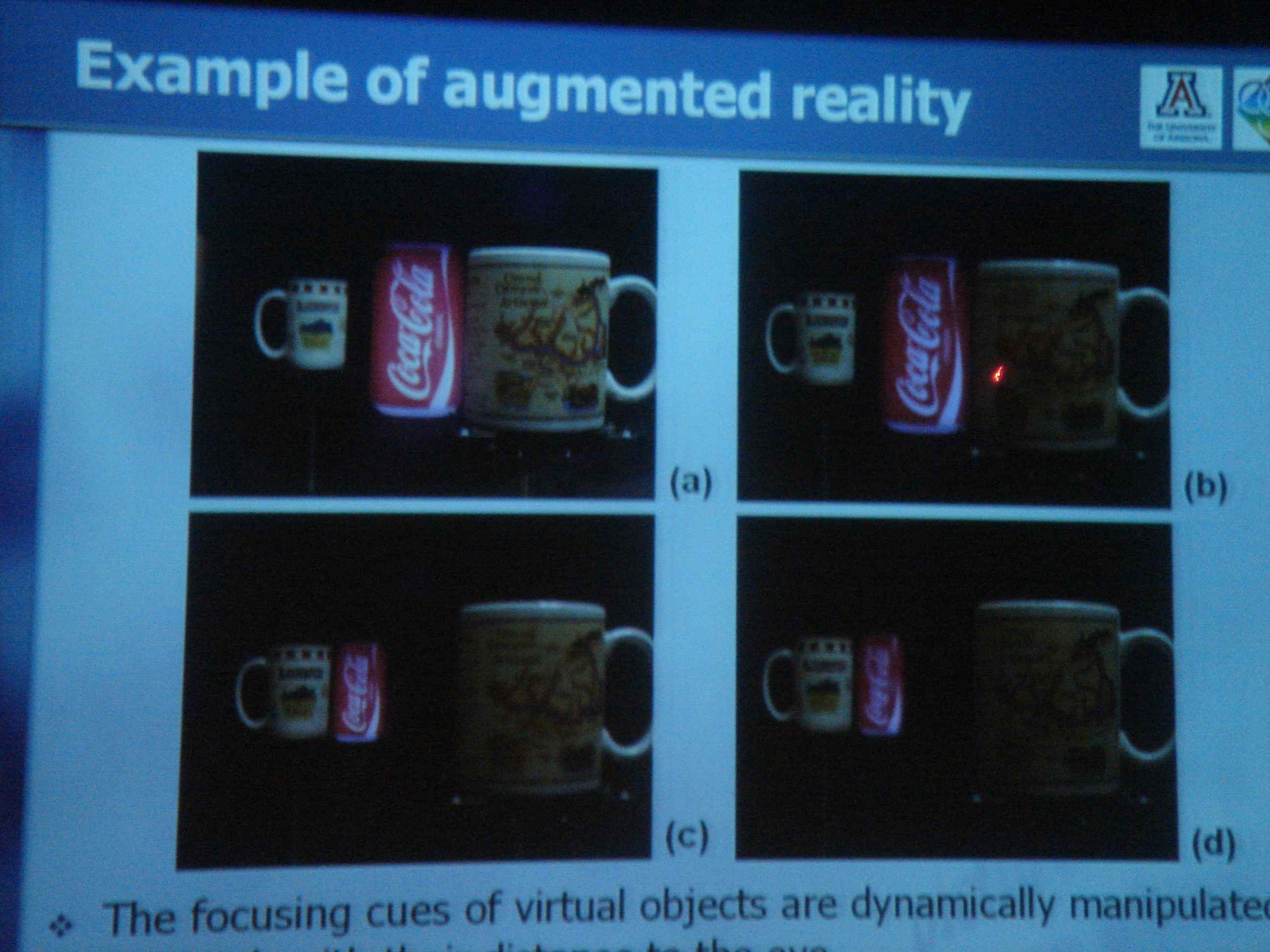
Sheng talks about the stress on the eye in an AR situation where the eye has to accommodate real and virtual object and adjust the focus accordingly, and could cause headache to the viewer.

The solution is a variable-focal plane in a liquid lens.

Vari-focal with liquid lens for AR

Subjective tests result in a pretty good response from the participants. With the vari-focal plane in liquid lens, the human eye can accommodate change in focus from infinity to near focus and can be used for AR applications. This would even be improved in the future with upcoming improvements in liquid lens.

One of the members of the audience asks why not do this in software vs. hardware? Wouldn’t it be less expensive?

– Sheng claims the results are more accurate with the hardware approach.

To learn more about this, check out their website, the paper [link will be posted here], or contact sliu[at]optics.arizona.edu.

~~~

In the third leg of the “Displays” session Ernst Kruijff will speak about Vesp’R: design and evaluation of a handheld AR device.

UMPCs are a good starting point for AR displays – but tend to get bulky…

VAIO used for outdoor AR tracking at Oxford University

VAIO used for outdoor AR tracking at Oxford University

[I have analyzed this and other devices in my post: Top 10 AR devices]

Ernst will present an alternative design. The motivation for the research and the resulting paper was the lack of published knowledge  on this topic.

The team looked at a wide range of AR apps (such as Vidente an AR app for field workers) on different platforms and observed the common needs.

The need is simple: a lightweight device, with options for more controls, for long duration of use – indoors and outdoors.

UMPCs such as Vaio could are pretty heavy and become very tiring, especially when you hold it high.

Here is the result:

A solid case; velvety grip; controls are built into handles.
How good is it?
Based on a user attitude study – the new design is reasonable but not ideal…
When comparing with existing devices -some aspects were better and others not.

The conclusion is that although Vesp’R doubles the weight of a usual UMPC, it still provides improved ergonomics. But there is room for more research and improvements in this domain.

A member of the audience dares to ask: what if you used a much lighter device (such as a cell phone), would the results still be the same…?

Ernst is positive; just try to hold your hands straight ahead with no device at all – and you’ll feel the pain in a few minutes…

Stay tuned for the outdoor demo on Wednesday!

=================

From the ISMAR ’08 Program

  • Optical Free-Form Surfaces in Off-Axis Head-Worn Display Design
    Ozan Cakmakci, Sophie Vo, Simon Vogl, Rupert Spindelbalker, Alois Ferscha, Jannick Rolland
  • An Optical See-Through Head Mounted Display with Addressable Focal Planes
    Sheng Liu, Dewen Cheng, Hong Hua
  • Vesp’R: design and evaluation of a handheld AR device
    Eduardo Veas, Ernst Kruijff

ISMAR ’08 Live: Workshop on Industrial Augmented Reality: Needs and Solutions


Welcome to the first workshop of ISMAR 2008.

We are starting with the Industrial AR workshop.

Selim Benhimane introduces ISMAR Chair Ralf Rabaetje which introduces the first speaker Dr. Werner Schreiber from Volkswagen AG.

Ralf describes the main reason for VW to research in augmented reality: “we need to find new and better ways to develop, test and produce cars. And we need to make the process less expensive.”

VW is doing it as part of a government funded project dubbed AVILUS, in collaboration with major EU companies such as Airbus, Daimler and Siemens.

One of the improvements that can be achieved with AR is improved safety.

Werner shows various technologies that are being worked on, and slides of applications for improvement in designing and building cars. Example: applying labels for air bags in the language of the car’s destination. The error rate of the previous approach (using written lists) was improved dramatically with an AR system (with an HMD). Metaio provided elements of this solution.

Werner concludes with general requirements for these type of AR systems:

  • Keep it simple
  • Intuitive without special technology know how needs
  • Standard system
  • Universal system
  • Multi use in various industrial processes
  • Less than 30 min prep time
  • Economic
Question: How did workers react to these solutions?
– Some were skeptics, other were enthusiasts…you have to find tricks to make it easy to adapt to.
Q: Are you willing to take the risk of significanlty changing the process to include AR? Why not a sound system or monitors?
– adding the information in the field of view of the worker and reducing the cost – was worth it.
~~~
Second presenter is being introduced: Dr. Axel Hildebrand from Daimler heading an AR project; a perfect continuation of the previous talk. It will focus on how to deal with the maturity gap between needs and the current technology. Axel was formerly working on AR in the Fraunhofer institute.
We recognize that technology has to go through multiple stages until it’s ready for use in industrial systems, but we also know we have to start with such technologies early – to help them mature…we need to take some risk.
From Gartner’s hype cycle: in 2006 AR was a “technology trigger”. It was conspicuously missing in 2007 and then reappeared in 2008 – yet again as “technology trigger”.
At Daimler, the technology building blocks are: Data access, Interaction, displaer, visualization, tracking.
Example applications: Mobile picking objects. (collaborated with Metaio) will start a prototype with AR at the engine assembly line.
Current mobile devices are text driven usd for quality assurance.
With Symbian based devices added visuals in context to enrich the information workers have during picking objects.
Mobile Quality Assurance – a concept of using camera to visually test quality of products being produced.
Mixed Reality Ergonomics Situation – Use AR to improve posture of workers on assembly line. Using a mockup that simulates a car to test the posture of workers during certain tasks and then improving the procedures to improve the ergonomics.
Spatial AR for Automotive Design – projecting various scenarios (e.g. colors) on car models during design process.
Factory Shop floor approval – mobile AR device superimposes data from various sources about the shop floor to check the environment.
[skiping videos – what a shame…]
Thermal protection of the Overall Vehicle – superimposedata from simulations to that workers can readjust the engine [finally showing a video explaining the technique!]
Mixed reality Assembly

Axel summarizes: Need to havea step-wise approach. Convincing the business side, with high value projects – and then going further and applying to more projects.

Technologies still immature: indoor tracking, full HMD usage, AR visualization, Interaction. And we are still before the trough of disillusionment…

Some applications will require HMDs when the activity requires to be hands free. Others mobile devices are fine. And in other cases will need spatial AR.

[Coffee break]

Gudrun Klinker introduces Shinichi the next speaker Shinichi Aratani. He will talk about the current state of industrial MR/AR at Canon.

[colorful Japanese slides] Canon started working on MR in 1997 and focuses on 4 areas: Industry, Presentation, Art and Entertainment. Interior simulation of living room, Media art, etc. After 2001 moved to industrial use such as design evaluation, digital mockups, usability testing, etc. In order to achieve  value in MR applications  Canon assumed these requirements: real scale, intuitive visualization, intuitive operation.

Between 2000 and 2007 – reduced cost in development process and intend to continue reduction of cost. One example if simplified physical prototype. 84% of workers in a canon survey thought that MR applications improve effectiveness. Some noted that HMD can be mounted for no more than 15 min (beyond that it creates motion sickness). Another issue was narrow angle view where both hands can not be viewed.

Showing demonstration video held in Tokyo last week [

get link]: simulates how to maintain a canon printer. Concept HMD used is VH2007 with higher resolution, including a video camera.

Canon intends to use CAD to simulate actual operation. Input motion parameters, display analytical simulation on top of that simulated operation. Showing concept video of a lens mockup, superimposing motion parameters of a real product. [get link]. It ‘s a promising concept, but there are still issues with resolution and picture quality…

He then goes to describe the MR platform marker technology, sensor use, calibration tools, etc.

Future work: offer a common platform for MR. Details still fuzzy…

Areas of future focus: navigation, construction, art…here is such an example:

Tracking the motion of an instrument (Clarinet) for a Media Art project : super imposed graphics change based on the sound and movement – very amusing!

Canon sees major value in MR and continue to develop the platform and HMD.

~~~

Next speaker:  Benjamin Becker (EADS) European Aeronautic Defense and Space Company

From the advanced design and visualization team working on: industrial design for aircrafts (e.g. Airbus), cabin interior, seatings, lower deck crew test, catering, lavatories. Also working on visualization for Helicopters, etc.

Main AR project: Trackframe using Ubitrack tracking framework.

AR combines multiple technologies: rendering and visualization, wearable computing, tracking. Caveats: HMD, interaction and usability, local and global tracking for large area.

Example: Sales and marketing project – present concepts of improved cabins (e.g. adding a bar) to customers and solicit feedback (add coloring, and in the future provide haptics). Spatial AR: Projecting daylight or night like on the cabin ceiling to help passengers adjust to jet lag [get video].

Explaining additional examples from maintenance, manufacturing, factory planning.

Question: Are we getting aesthetically pleasing view?

-it’s not photorealistic, but it’s better than seeing the options in a textual list…

[Unfortunately, I’ll have to miss the afternoon sessions in this track – due to the parallel Handheld mobile AR session which I can’t afford to miss…]

========================

From ISMAR ’08 program.

Organizers: Selim Benhimane (TUM), Gudrun Klinker (TUM), Ralf Rabaetje (Volkswagen AG), Bruce H. Thomas (UniSA)

As the interest and the development of Augmented Reality (AR) is growing fast, it is important that, periodically, people from academia, research and industry sit together and discuss about what are the major limitations and results that were achieved recently. This workshop is the followup to the two successful one-day events that took place at ISMAR’05 in Vienna and at ISMAR’06 in Santa Barbara. The workshop will be split into four sessions of invited talks:

– Recent Advances in Tracking and Programming Frameworks for AR

– Requirements on AR Systems imposed by Industrial Applications

– Requirements on AR Systems imposed by Industrial Applications (continued)

– Recent Advances in Visualization and User Interfaces

There will be 9 speakers and each speaker will give 25-minute talk followed by a 5-minute questions and answers. An open discussion will take place at the end of the workshop in order to get the audience and the speakers discussing questions: What does Industry need from AR? What problems need to be solved for AR to work in Industry? What are the good target Industries for AR as it is seen in 2008?

Further information, including the full program and details of speakers, can be found on the Workshop website.

Live from ISMAR ’08 in Cambridge: Enjoy the Weather…

“Enjoy the weather” uttered sarcastically a kindhearted British witch (aka air hostess) while we were leaving the aircraft; surprisingly – we did in the first day. We were then promised this is accidental and surely the last day of summer. Splendid.

Venice? nope, Cambridge!

Venice, Italy? nope, Cambridge, UK!

I have landed in Cambridge, UK (where people go to augment their reality) and all I ever heard about it – is true: British meadow green, majestic 600 year old buildings, cosmopolitan young folks, fish cakes…a combination that gives this university city its unique aura; a great setting for the event starting tomorrow – reality only better, at ISMAR ’08.

St. Catherine College - can't ask for a nicer place to stay...

St. Catherine College - can't ask for a nicer place to stay...

For those who couldn’t make it, stay tuned for a live coverage of ISMAR ’08, the world’s best augmented reality event.

Featuring AR pioneers such as: Tom Drummond, Paul McIlroy, Mark Billinghurst, Blair MacIntyre, Daniel Wagner, Wayne Piekarski, Uli Bockholt (Fraunhofer IGD), Peter Meier, Mark A. Livingston, Diarmid Campbell, David Murray, Rolf R. Hainich, Oliver Bimber, Hideo Saito and many more —

— overing topics such as: Industrial augmented reality, hand-held augmented reality, displays, user studies, applications, layouts, demos, state-of-the-art AR, and don’t miss the highly anticipated tracking competition.

Welcome all speakers and attendees to the event, and don’t forget: look right first!

If you are at the event (or not) and want to chat, share thoughts, or ask questions – leave a comment here or send a message on facebook.

Augmented Reality Panel at Virtual Worlds Conference

For those of you who missed Virtual Worlds last week in LA, and therefore found it hard to attend the Augmented Reality Panel – David Orban was there for you.

Here are all 59 minutes of the discussion he recorded and uploaded. Thanks David!

Roo, the panel host, brilliantly captured a blow by blow of the discussion and included slides that were used to illustrate the panel. Kudos to Roo!

From the event program:

Augmented Reality: Virtual Interfaces to Tangible Spaces
Marc Goodman, Director, Alcatel-Lucent
Eric Rice, Producer, Slackstreet Studios
Blair MacIntyre, Associate Professor, School of Interactive Computing, Director, GVU Center Augmented Environments Lab, Georgia Institute of Technology
David Orban, Founder & Chief Evangelist, WideTag, Inc.
Andrew (Roo) Reynolds, Portfolio Executive for Social Media, BBC Vision (moderator)

Now repeat after me this tongue twister: I virtually participated in the Virtual Worlds panel about augmented reality and I really augmented my world.

Next, we are off to ISMAR ’08 September 15-18th in Cambridge, UK!